
C Design Space for SVG Projects
Discover how C Design Space for SVG Projects helps crafters design custom cutting files for Cricut machines in our comprehensive software review.
An Essential Utility for Desktop Crafters
C Design Space for SVG Projects is a dedicated Windows application designed to streamline the vector creation process for crafting enthusiasts. Developed by Hilarious, this utility serves as a creative launchpad for users who want to design high-quality SVG cut files specifically tailored for Cricut Explore and other Cricut cutting machines. Rather than relying solely on generic pre-made assets, this software empowers you to take full control of your physical crafting projects from your PC.
Who Benefits Most from This SVG Design Tool?
This software is highly targeted toward DIY hobbyists, small business owners, and digital artists who utilize Cricut hardware. Whether you are crafting personalized gifts, merchandise, or home decor, the application bridges the gap between raw vector illustration and the physical cutting process. It is particularly useful for:
- Cricut Explore Owners: Crafters looking for a seamless way to prepare assets optimized for their specific hardware.
- Independent Creators: Designers wanting to build unique SVG cut files from scratch for commercial merchandise.
- Beginners & Hobbyists: Anyone needing built-in project templates to jumpstart their daily crafting without a steep learning curve.
Key Features of C Design Space for SVG Projects
The application balances creative freedom with practical pre-made assets. Here are the standout features that make it a valuable addition to your design toolkit:
Design From Scratch
For those who want complete creative control, the platform offers tools to construct vector graphics from the ground up. You can manipulate shapes, paths, and layouts to ensure your Cricut machine cuts exactly what you envision.
Built-in SVG Project Files
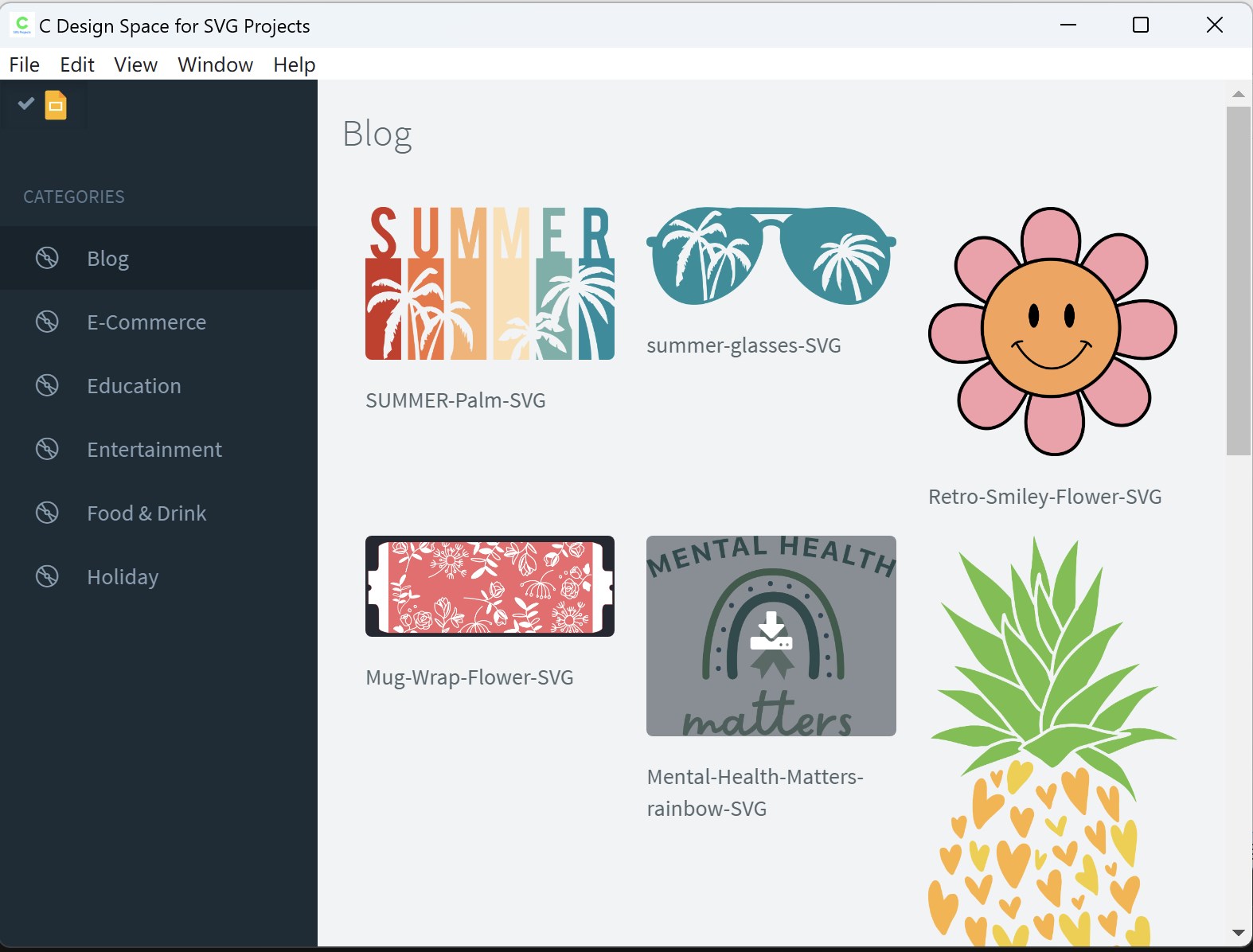
If you are short on time or need inspiration, the software includes a library of built-in SVG project files. These assets are ready for immediate use, helping you skip the initial drafting phase when you need to produce quick results.
Flexible Licensing Options
A major advantage of the integrated library is that the built-in SVG files are cleared for both personal and commercial use. This makes it an affordable asset pipeline for Etsy sellers and local craft businesses.
Optimized for the Windows Desktop Experience
Running natively on Windows, C Design Space for SVG Projects takes advantage of desktop processing power to handle complex vector paths smoothly. The interface focuses purely on what is necessary for clean cuts, minimizing the bloat often found in larger, generic graphic design suites. By focusing strictly on SVG generation, it keeps your workflow fast and your files clean of unnecessary data that can confuse cutting plotter software.
Final Verdict: Should You Add It to Your Toolkit?
If you regularly work with Cricut Explore hardware and want a straightforward, Windows-optimized environment to design or source vector patterns, this application offers excellent utility. It eliminates the friction of exporting files between unrelated programs, keeping your focus entirely on crafting. To explore its features further or to add it to your design setup, visit the official Microsoft Store page today.