

Invoice Ninja
Discover how Invoice Ninja streamlines billing, expense tracking, and client payments in our comprehensive review of this powerful invoicing platform.
The Struggle of Modern Business Billing
For independent contractors, freelancers, and small business owners, managing administrative tasks can quickly become overwhelming. Keeping track of billable hours, generating professional estimates, and chasing down outstanding payments often eats into hours that could be spent on actual client work. The Invoice Ninja billing and invoicing app addresses this daily administrative headache by centralizing financial management into a single, cohesive workspace on Windows.
Streamlined Invoicing and Client Portals
At its core, the Invoice Ninja billing and invoicing app excels at creating and sending polished invoices in a matter of seconds. Instead of starting from scratch every time, users can utilize the built-in product library system to quickly populate invoices and quotes with pre-set pricing and descriptions. For long-term clients, the platform supports recurring billing, subscription setups, and secure payment profiles, allowing you to automate your monthly cash flow effortlessly.
Key Features of Invoice Ninja
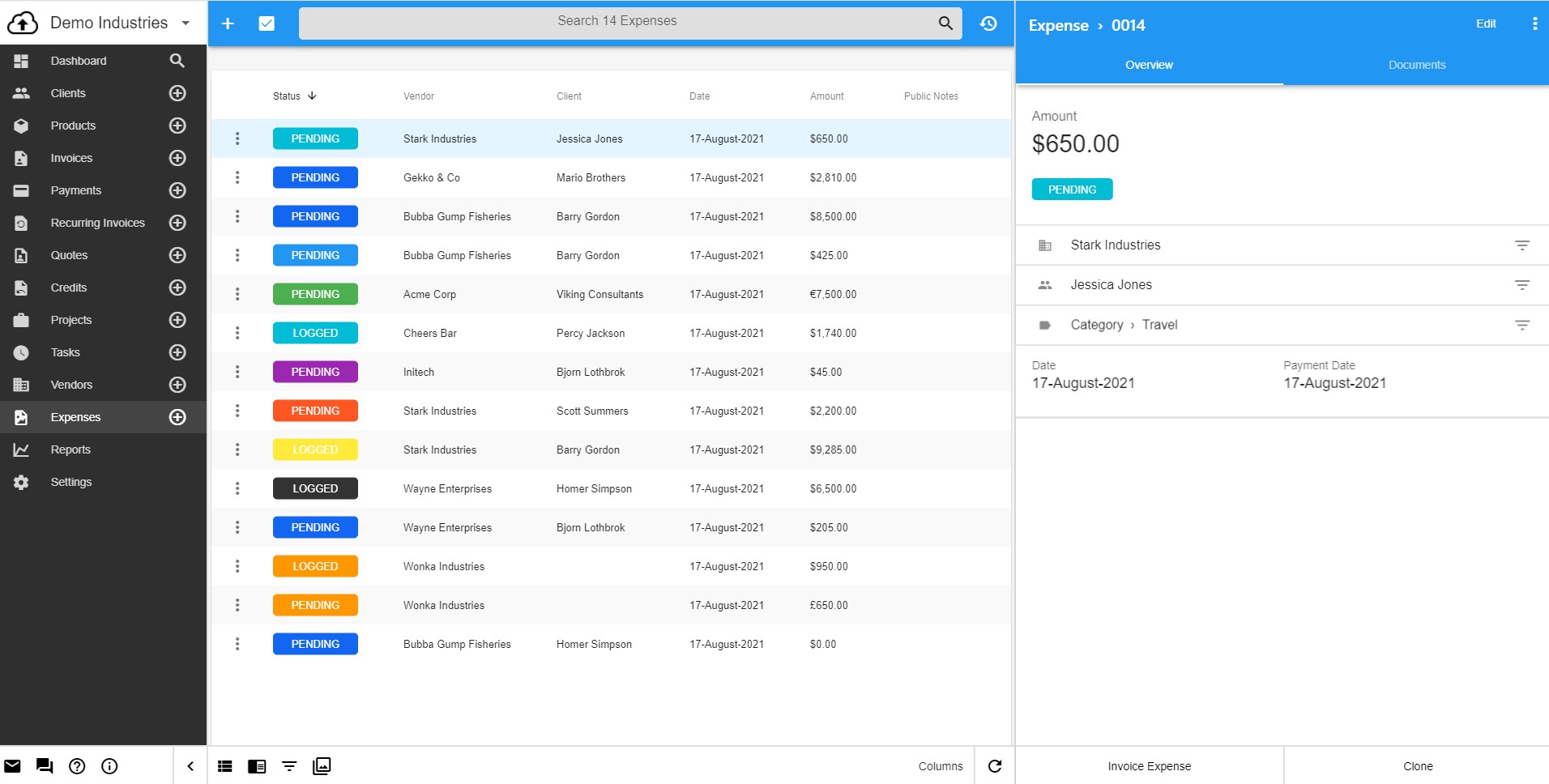
- Complete Financial Tracking: Manage invoices, quotes, credits, payments, vendors, and expenses from one centralized dashboard.
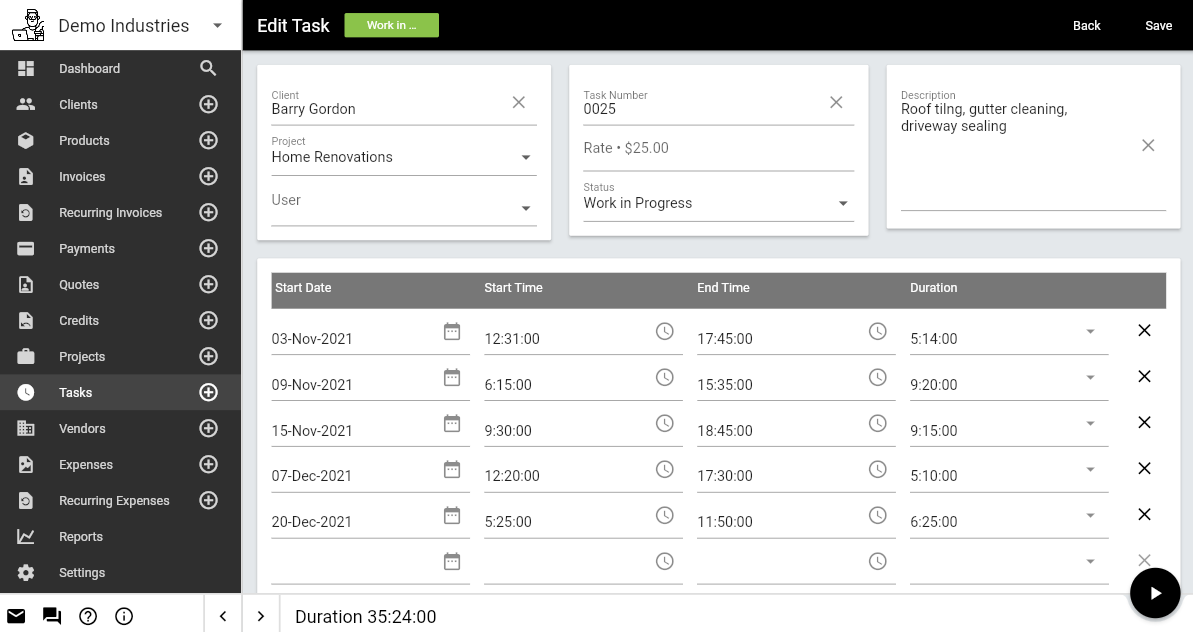
- Time-Tracking & Project Management: Utilize built-in Kanban boards to monitor project progress and convert billable tasks directly into client invoices.
- Faster Client Payments: Accept credit cards, ACH payments, PayPal, and more, allowing clients to settle their balances directly from the invoice document.
- Real-Time Notifications: Stay informed with instant app and email notifications when a client views or pays an invoice.
- Integration & Self-Hosting: Connect your workflow with external platforms like Zapier, or take advantage of the source-available codebase to self-host your setup.
An Intuitive Business Dashboard
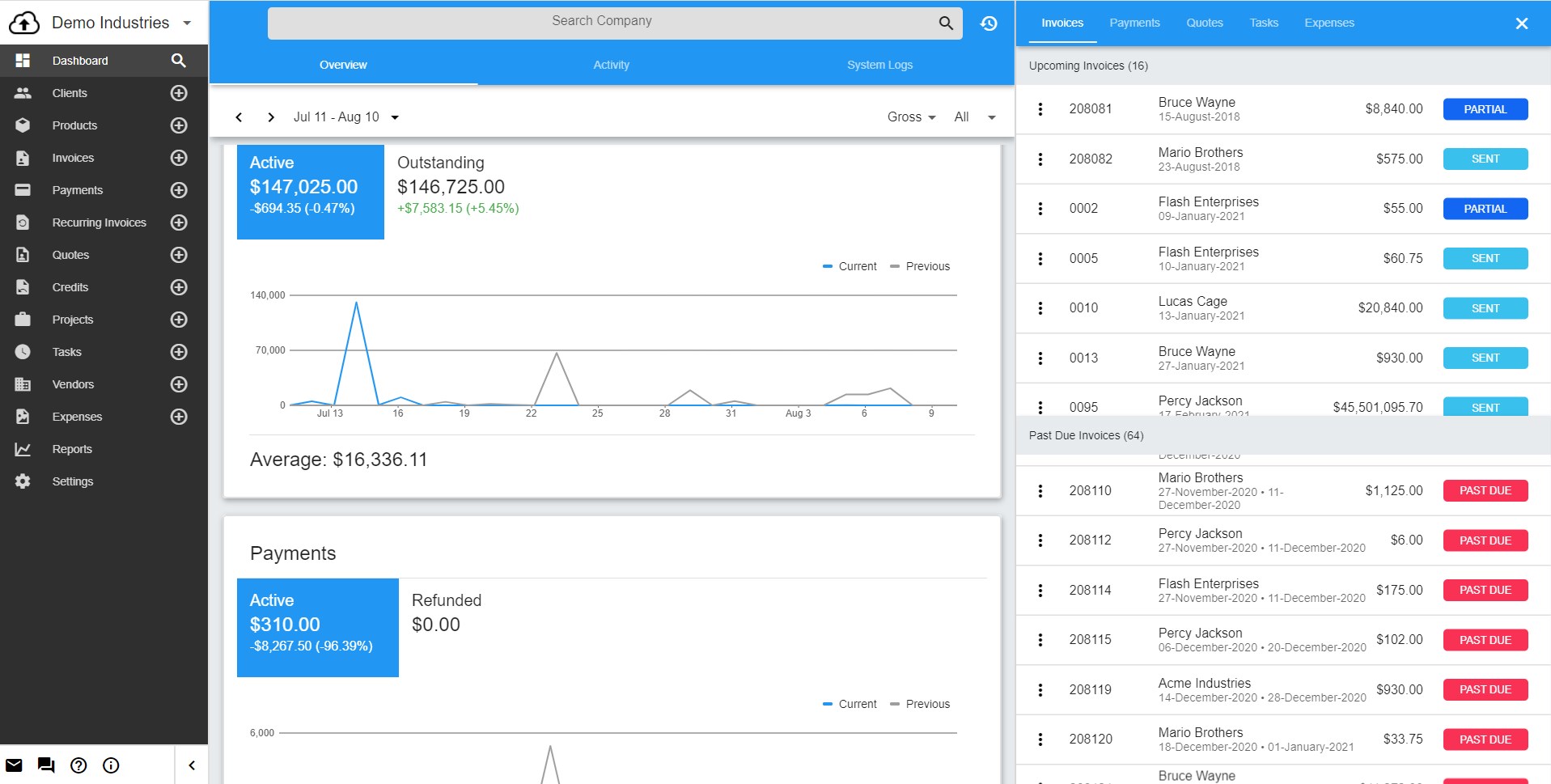
Understanding your business health shouldn't require complex spreadsheet formulas. The application features an intuitive dashboard that displays critical metrics at a glance. Users can instantly view total revenue, monitor sent invoices, track upcoming due dates, and identify past-due accounts. This immediate visibility ensures you always know where your finances stand and which accounts require follow-up.
Is This the Right Billing Tool for You?
Whether you are a sole proprietor looking for a simple billing tool or an enterprise requiring unlimited client management, this utility scales to meet your needs. With security features like two-factor authentication (2FA) and Google Login, your sensitive financial data remains protected. If you want to eliminate the administrative friction of manual billing, we recommend exploring this solution. To get started, head over to the official Microsoft Store to download the application for your Windows device.